
H
Heading Block
Headings from <h1> to <h6> with full control over font size, weight, line height, letter spacing, color, and alignment — all responsive across breakpoints.
HEADING LEVELS
H1
Page Title
H2
Section Heading
H3
Subsection
H4
Card Title
H5
Label
H6
Overline
When to use this block
- Section titles, page headings, card titles
- Any text that structures the page hierarchy (H1 → H2 → H3)
- Overlines and uppercase labels (H5/H6 with letter spacing)
- Supports bold, italic, and links inside the heading text
Heading Level
Choose H1 through H6 from the block toolbar. The level sets the HTML tag — it does not automatically change the font size. Set size separately.
Heading Level
Block Toolbar
Level vs. Size
The heading level defines semantic meaning (document structure, SEO). Font size is a separate control — you can have a visually small H2 or a large H3.
Typography
Font size, line height, and letter spacing — all in pixels, all responsive across 3 breakpoints.
Typography
Sidebar Panel
Font Size
px
Line Height
px
Letter Spacing
px
RESPONSIVE EXAMPLE
Mobile
36px / 44px
Tablet
42px / 50px
Desktop
48px / 56px
Set different sizes per breakpoint for fluid-feeling typography.
All values in px only. No em, rem, or unitless values. Enter the number only — the block adds px automatically.
Weight & Color
Font weight is chosen from the block toolbar. Text color uses a hex color picker in the sidebar.
Font Weight
Block Toolbar
Light
300
Normal
400
Medium
500
Semi-Bold
600
Bold
700
Extra-Bold
800
Heavy-Bold
900
Text Color
Sidebar Panel
Color
Text Alignment
Align text using the standard WordPress alignment toolbar.
Left
Build faster with blocks.
Center
Build faster with blocks.
Right
Build faster with blocks.
Justify
Build faster with blocks and patterns.
Inline Formatting
The heading content supports rich text formatting. Select text within the heading to apply bold, italic, or links.
EXAMPLES
Build faster with Nova
Italic word for emphasis
Ready to get started?
Inline link within heading
We help you ship faster
Mix light and bold weights within one heading
Spacing
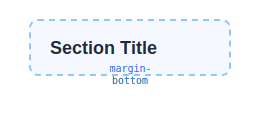
Padding and margin in pixels. Responsive across mobile, tablet, and desktop. Commonly used to add bottom margin after a heading.
Responsive:
Mobile
Tablet
Desktop
No border, background, or shadow on this block. Wrap it in a Grid Item or Flex Block if you need those.
All Available Controls
Heading Level H1–H6 via toolbar

level: 1–6 (number). Determines the HTML tag. Default: 2. Changed via the block toolbar dropdown, not the sidebar.
Font Size px — 3 breakpoints
fontSize, fontSizeMd, fontSizeLg. Value in px (number string, e.g. "36").
Line Height px — 3 breakpoints
lineHeight, lineHeightMd, lineHeightLg. Value in px only — never unitless or em.
Letter Spacing px — 3 breakpoints
letterSpacing, letterSpacingMd, letterSpacingLg. Value in px only — never em.
Font Weight 300–900, toolbar dropdown
fontWeight: 300 (Light), 400 (Normal), 500 (Medium), 600 (Semi-Bold), 700 (Bold), 800 (Extra-Bold), 900 (Heavy-Bold). 7 values total.
Text Color Hex color
textColor: hex string (e.g. "#171717"). Applied as inline style="color:...".
Text Alignment left, center, right, justify
textAlign: left, center, right, justify. Via WordPress core alignment toolbar.
Spacing Padding & margin, 3 breakpoints
Padding/Margin: top, bottom, left, right in px. Responsive: mobile, Md, Lg. Margin gets !important.